How to Set Up Shensuo in 7 Steps
Most teams are running their first scan within ten minutes of signing up.
Your Dashboard — Everything at a Glance
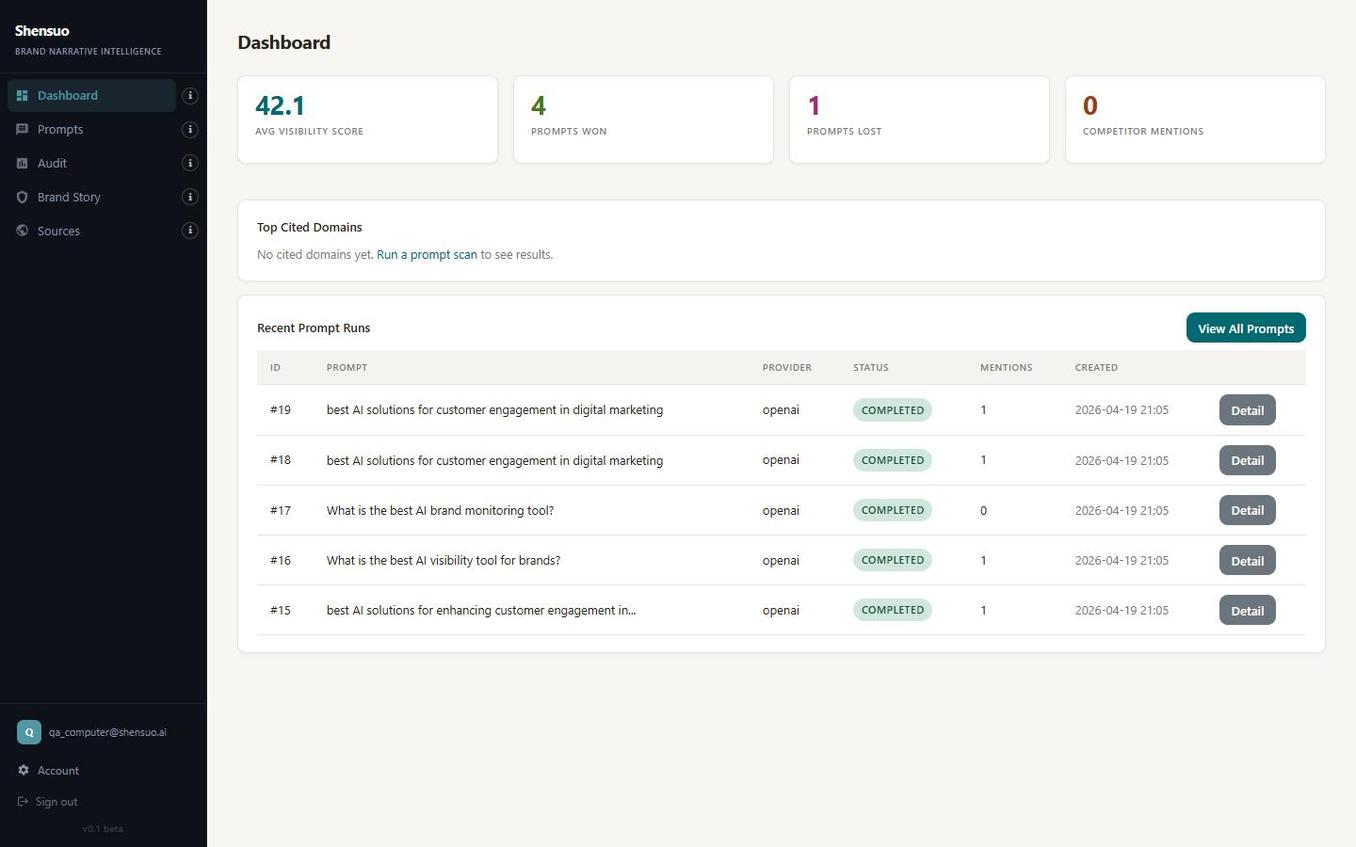
The moment you log in, Shensuo shows you the metrics that matter: your AI Visibility Score, how many prompts your brand won versus lost, and competitor mentions across all models.
The Recent Prompt Runs table shows every scan you've executed — provider, model, status, and duration — so you always know exactly what's been measured.
Create a Project for Your Brand
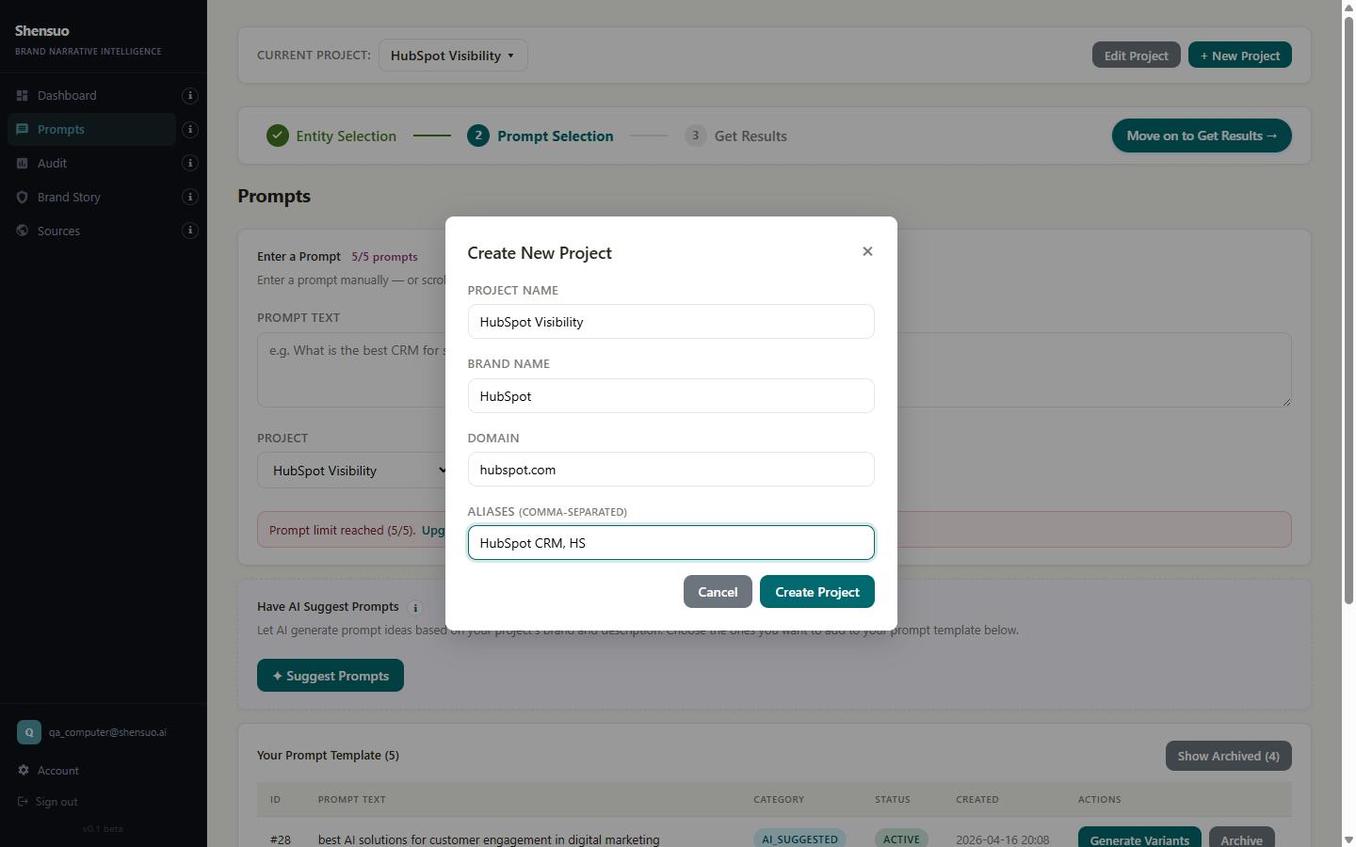
Enter your brand name, domain, and any aliases — acronyms, product names, or shorthand your customers use. Shensuo uses this to recognize your brand in AI responses even when models paraphrase or abbreviate.
Create one project per brand. Manage multiple brands or clients by creating a project for each.
Map Your Competitors — Automatically with AI
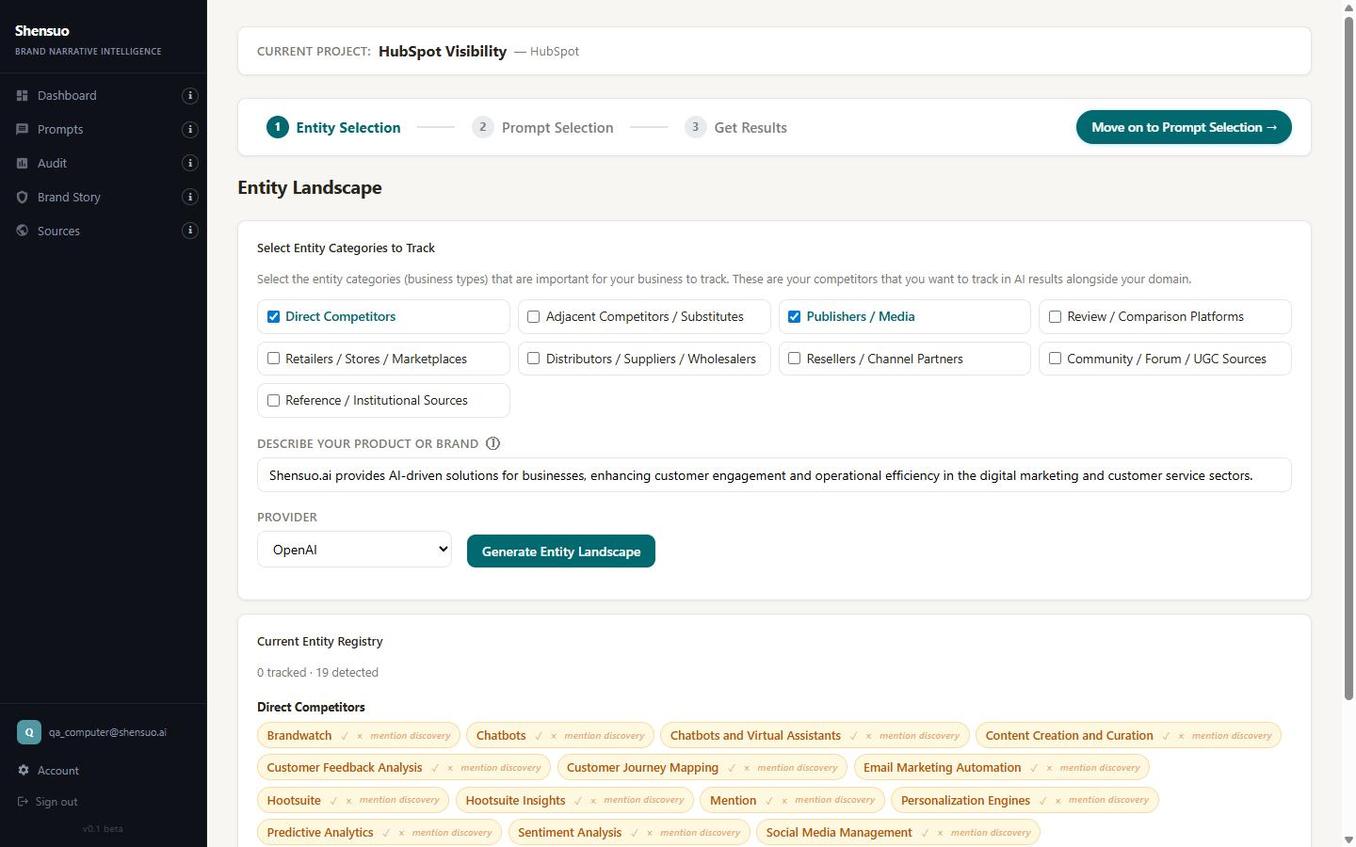
Select which competitor categories matter — direct competitors, publishers, review platforms, channel partners. Shensuo generates your full entity map using AI, pulling real competitors and media sources based on your brand description.
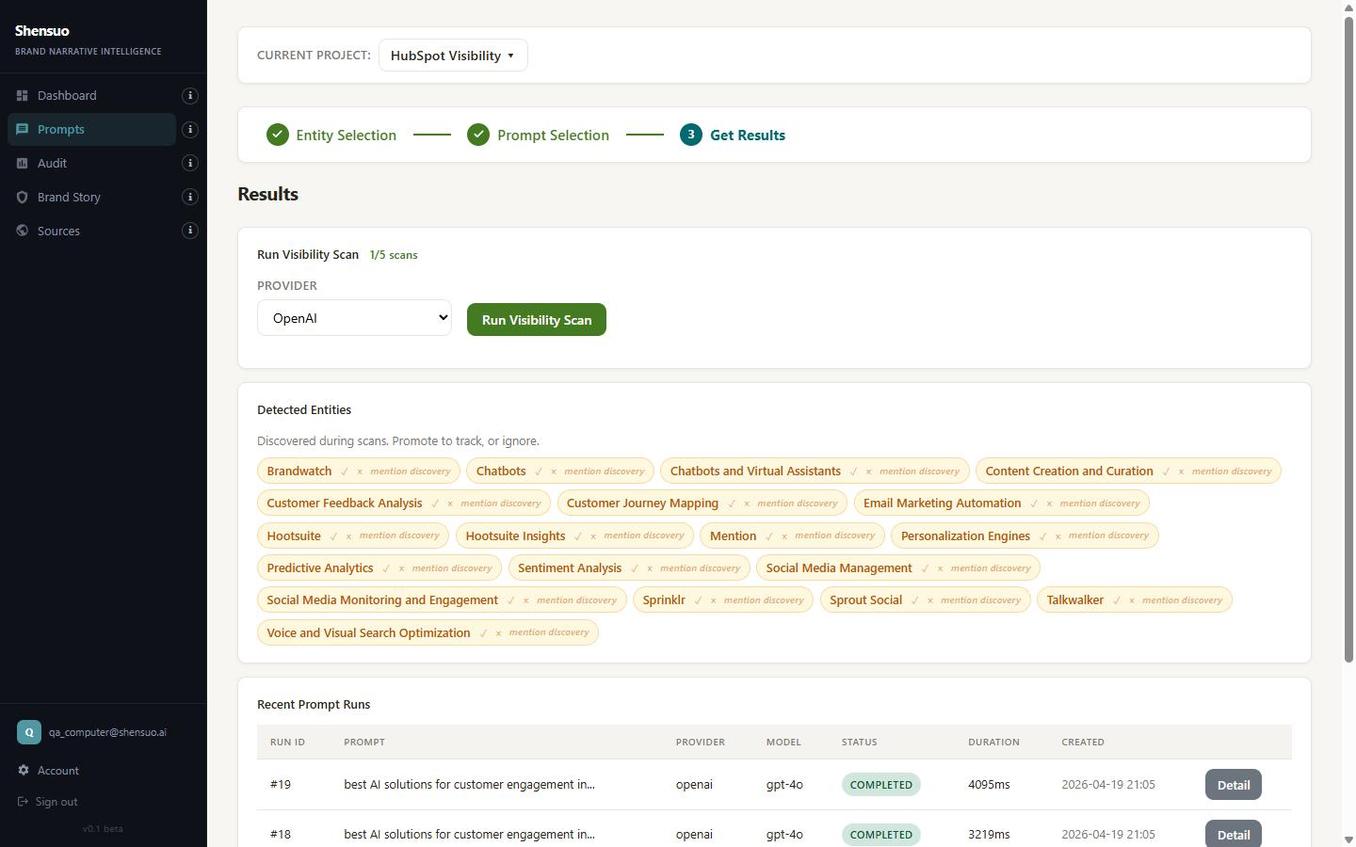
In this example, Shensuo detected 19 entities for HubSpot including Hootsuite, Sprinklr, Talkwalker, Mention, and Brandwatch — all automatically, from a single click.
Enter Prompts Your Buyers Use — or Have AI Generate Them Intelligently
Add the real questions your customers ask AI — "What's the best CRM for small businesses?" These are the buying-intent prompts where your brand either shows up or gets left out.
Don't know where to start? Hit "Suggest Prompts" and Shensuo generates buyer-intent questions tailored to your brand — the actual queries your customers are typing into ChatGPT, Gemini, and Perplexity right now. Each suggestion appears as a one-click pill.
Run Your Visibility Scan — See Real Results
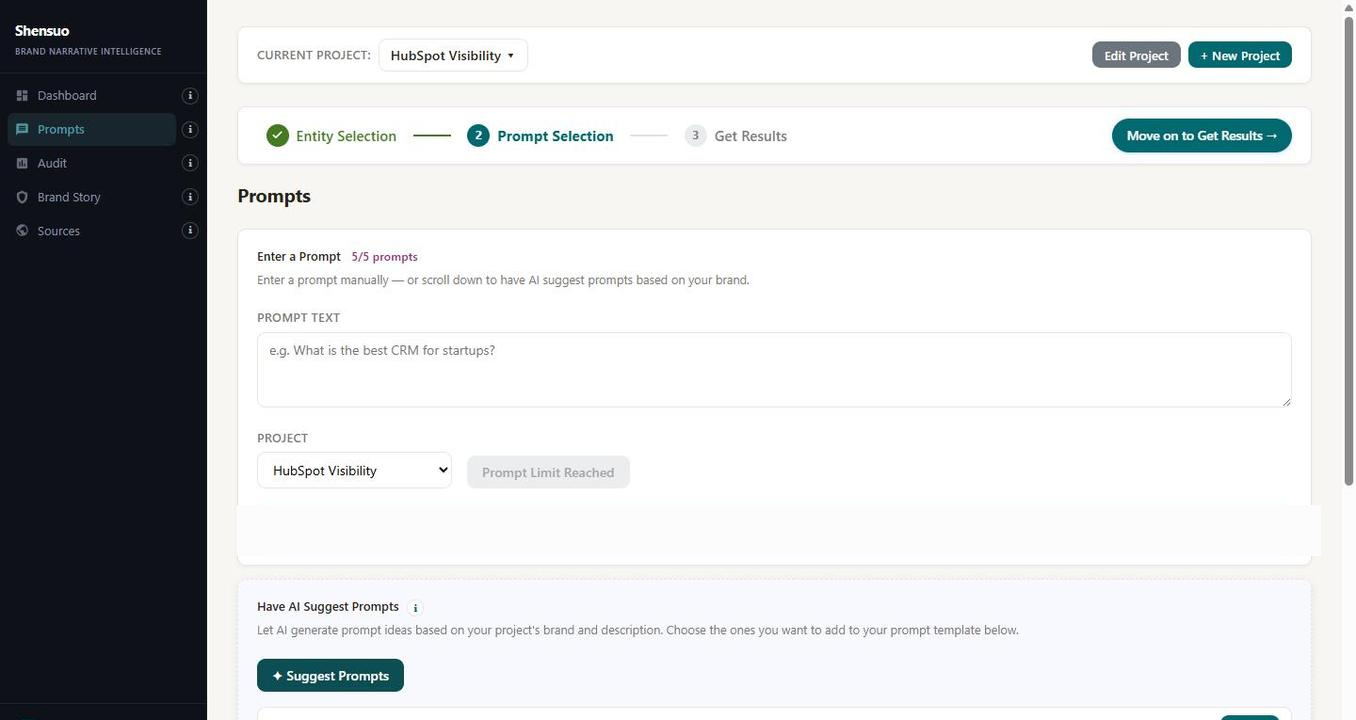
Select your AI provider — OpenAI, Gemini, Perplexity, or Claude — and run the scan. Shensuo fires every prompt at the model and records exactly what it says: who appears, in what order, which competitors it names, and which sources it cites.
Every completed run is logged with model, duration, and status. You can see which entities were detected across scans and promote them to your tracked list.
See How AI Is Framing Your Brand and Surface Real Issues
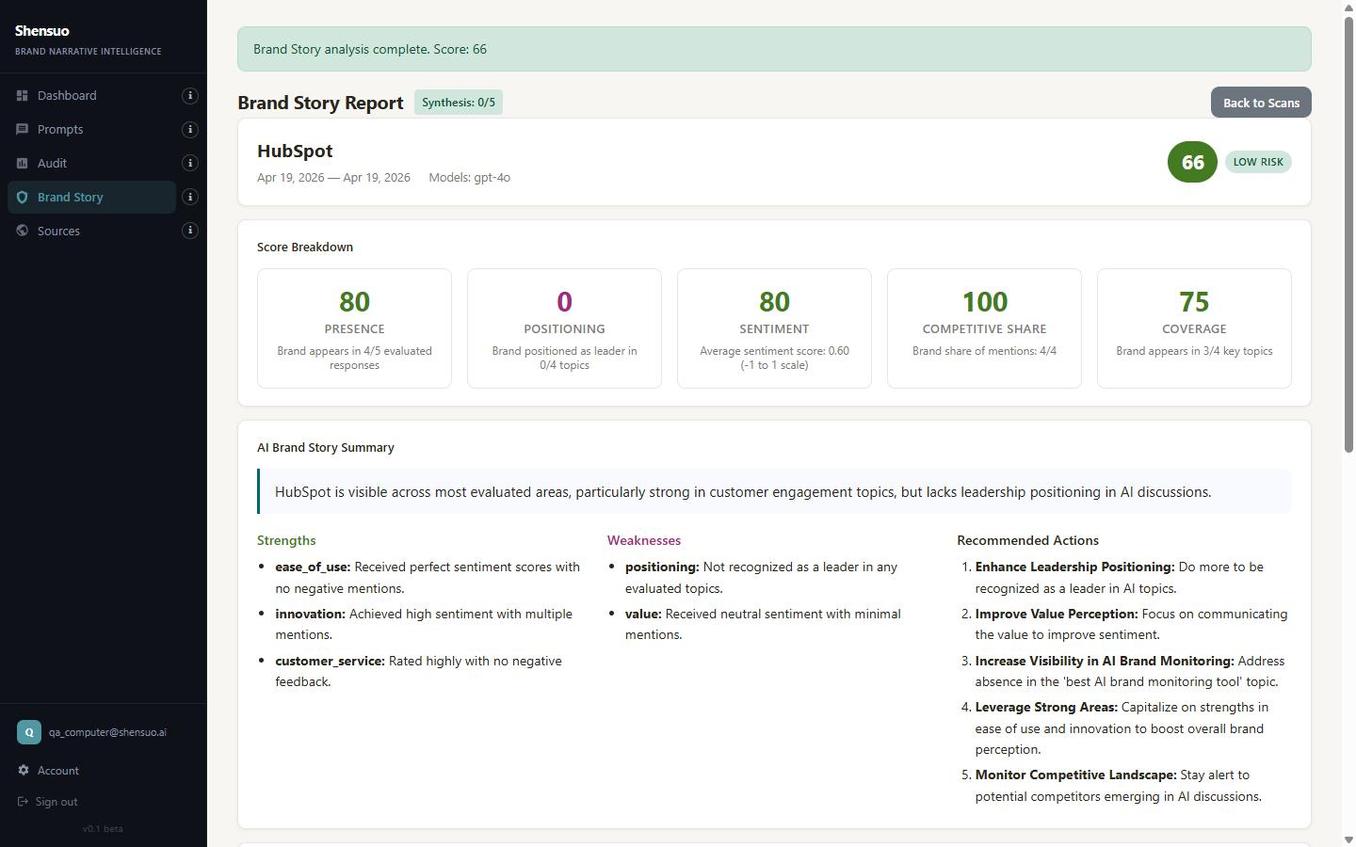
The Brand Story Report analyzes the actual language AI uses when it mentions your brand — not just whether you appear, but how you're being positioned. Presence, sentiment, competitive share, and coverage are all scored individually.
In this HubSpot example: Presence 80, Sentiment 80, Competitive Share 100 — but Positioning came in at 0, meaning AI isn't placing HubSpot as a category leader in any evaluated topic. That's the kind of issue you can't surface from a mention count alone.
Get a Prioritized Action Plan
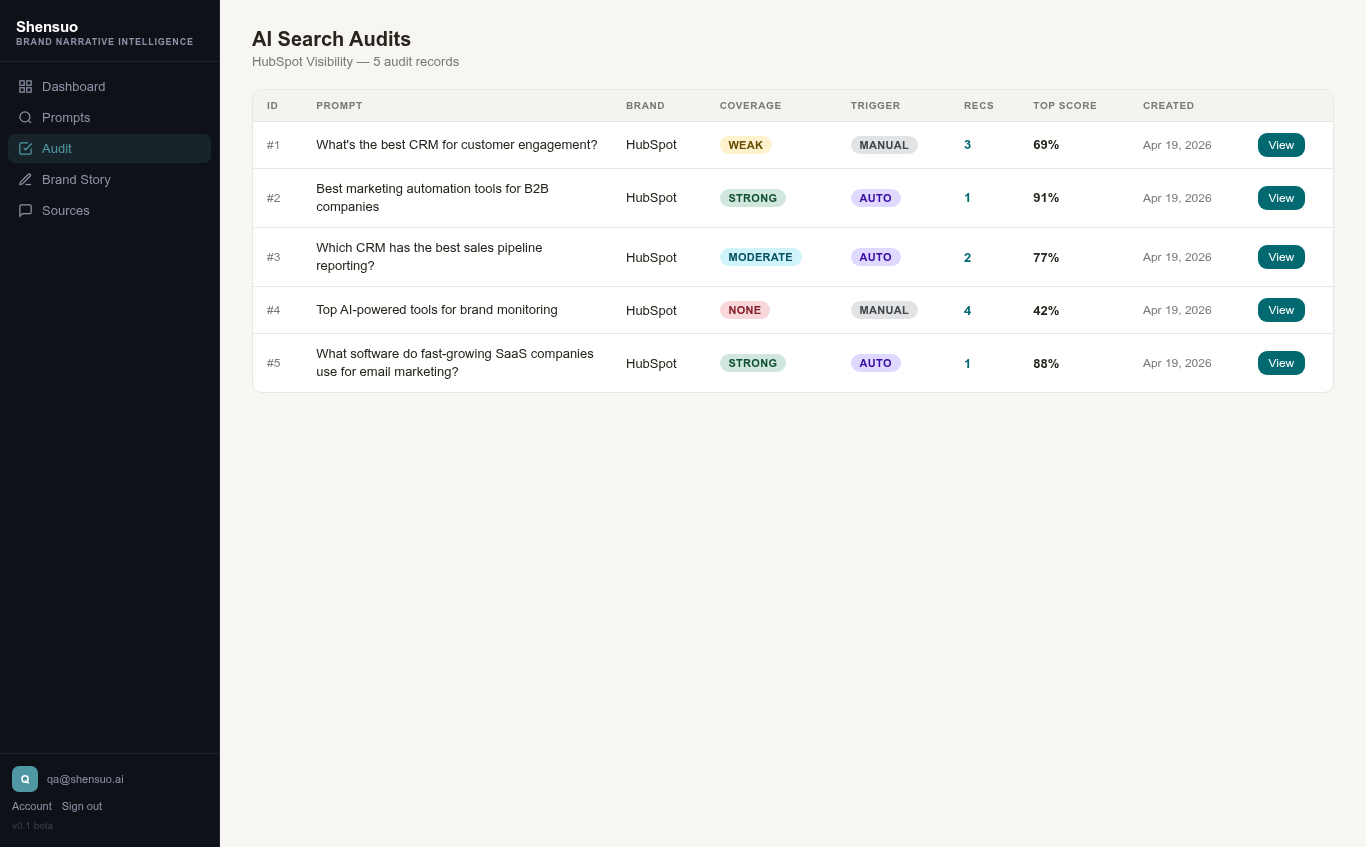
The AI Search Audit converts your scan results into a ranked list of audit records — each tied to a specific prompt, brand, and coverage rating. See at a glance which queries are performing well and which need work.
In this example, the HubSpot audit flagged "WEAK" coverage on a key customer engagement prompt — 69% top score, 3 specific recommendations ready to act on.